
How to Pause or Skip Home Meal Delivery in Puchong
Need to pause home meal delivery in Puchong? Learn the one-day WhatsApp notice, what happens to a paid skipped day, and how to confirm your new dates.
 EdwinPublished 16 Oct 2026Updated 16 Oct 20269 min read
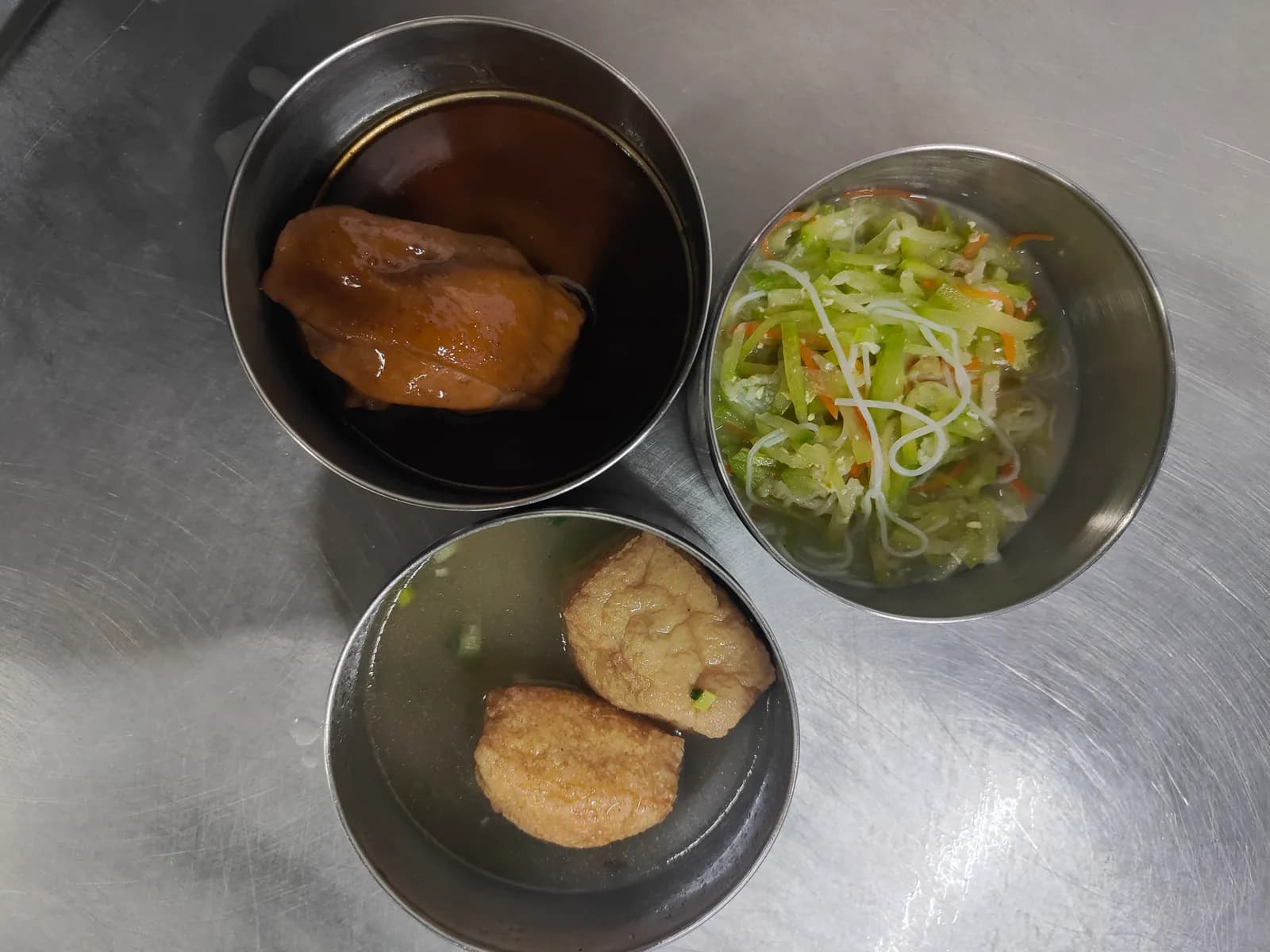
A weekday meal arrangement should fit your calendar, not force you to eat at home every day. A meeting runs late, a child stays with relatives, or the whole household travels. If you are looking up how to pause home meal delivery in Puchong, the useful questions are practical ones: when to tell the kitchen, which meal sessions you are changing, and what happens if you have already paid.
Aunty Home Cooking takes home meal orders for Puchong and Bandar Sunway without a contract. The published rule is to WhatsApp at least one day before you pause, skip a day, change a delivery date or stop. A paid day skipped with that notice moves to a later date agreed with the kitchen. This guide explains how to make that rule work in a real week, including when lunch and dinner have different plans. For the complete ordering overview, start with our Puchong home meal delivery guide.
Aunty Home Cooking
Order home cooked meals in Puchong
3 home cooked dishes every meal, from RM15 per pax, Monday to Friday. Free delivery in Puchong and Bandar Sunway.
Also delivering to Bandar Sunway
1. Start with the date and the meal session
The first distinction is between a date and a meal. Lunch and dinner are separate deliveries with different dishes. If you normally take both, saying only “skip Tuesday” may leave the kitchen unsure whether you mean lunch, dinner or both. Say exactly which session will not be needed. A household can keep Tuesday lunch and skip Tuesday dinner; that is a different change from skipping the whole day.
Before writing, look at the arrangement you last confirmed on WhatsApp. Check the number of people, rice portions and delivery address for each affected session. A request can involve more than a simple pause. For example, you may skip one dinner, restart lunch at a different headcount and leave the following day unchanged. Putting those details in one message lets the kitchen compare the new plan with the old one without guessing.
Use a short list when more than one date changes:
- State the exact calendar date, including month and year where helpful.
- Name lunch, dinner or both for each date.
- Say whether you want to skip once, pause for several dates or stop future deliveries.
- Give the date on which you hope to resume, if known.
- Ask the kitchen to confirm the updated arrangement in writing.
This is a planning guide, not an automatic booking system. A WhatsApp message records your request; the kitchen's reply confirms what has actually been changed. If your next date is uncertain, say so and agree on it later rather than entering a guessed restart date.
2. How the one-day notice and paid-day move work
The service asks for at least one day's notice on WhatsApp. The kitchen shops at the morning market and cooks for the orders it expects, so an early, specific message matters. The published rule does not promise that a same-day change will be accepted. Send the request as soon as your plans change, and wait for confirmation before assuming a delivery has been removed.
If a meal day is already paid for and you skip it with the required notice, that paid day is moved to a later date. The later date is one you agree with the kitchen. It is worth distinguishing “move” from “refund”: the published rule describes carrying the paid day forward, so do not assume money will be returned to your bank account or that a credit will be applied automatically to an unspecified date. Confirm where the paid day has landed.
- Situation
- Skip one lunch
- What to tell the kitchen
- Date, lunch session and headcount
- What to confirm back
- Lunch removed and paid day moved if already paid
- Situation
- Pause several dates
- What to tell the kitchen
- First and last affected dates, both sessions if relevant
- What to confirm back
- Every paused session and intended restart date
- Situation
- Change a paid date
- What to tell the kitchen
- Original date and proposed later date
- What to confirm back
- The agreed replacement date
- Situation
- Stop ordering
- What to tell the kitchen
- Last delivery you still want
- What to confirm back
- Which future sessions are removed and any paid day outstanding
| Situation | What to tell the kitchen | What to confirm back |
|---|---|---|
| Skip one lunch | Date, lunch session and headcount | Lunch removed and paid day moved if already paid |
| Pause several dates | First and last affected dates, both sessions if relevant | Every paused session and intended restart date |
| Change a paid date | Original date and proposed later date | The agreed replacement date |
| Stop ordering | Last delivery you still want | Which future sessions are removed and any paid day outstanding |
Keep the confirmation in the same WhatsApp thread as your original order. That provides a simple record if you need to check which meal is due next. Our home meal package page explains the per-meal structure and published prices; this article focuses on changes after an order has been arranged.
3. A photo of a meal is not a record of your remaining days
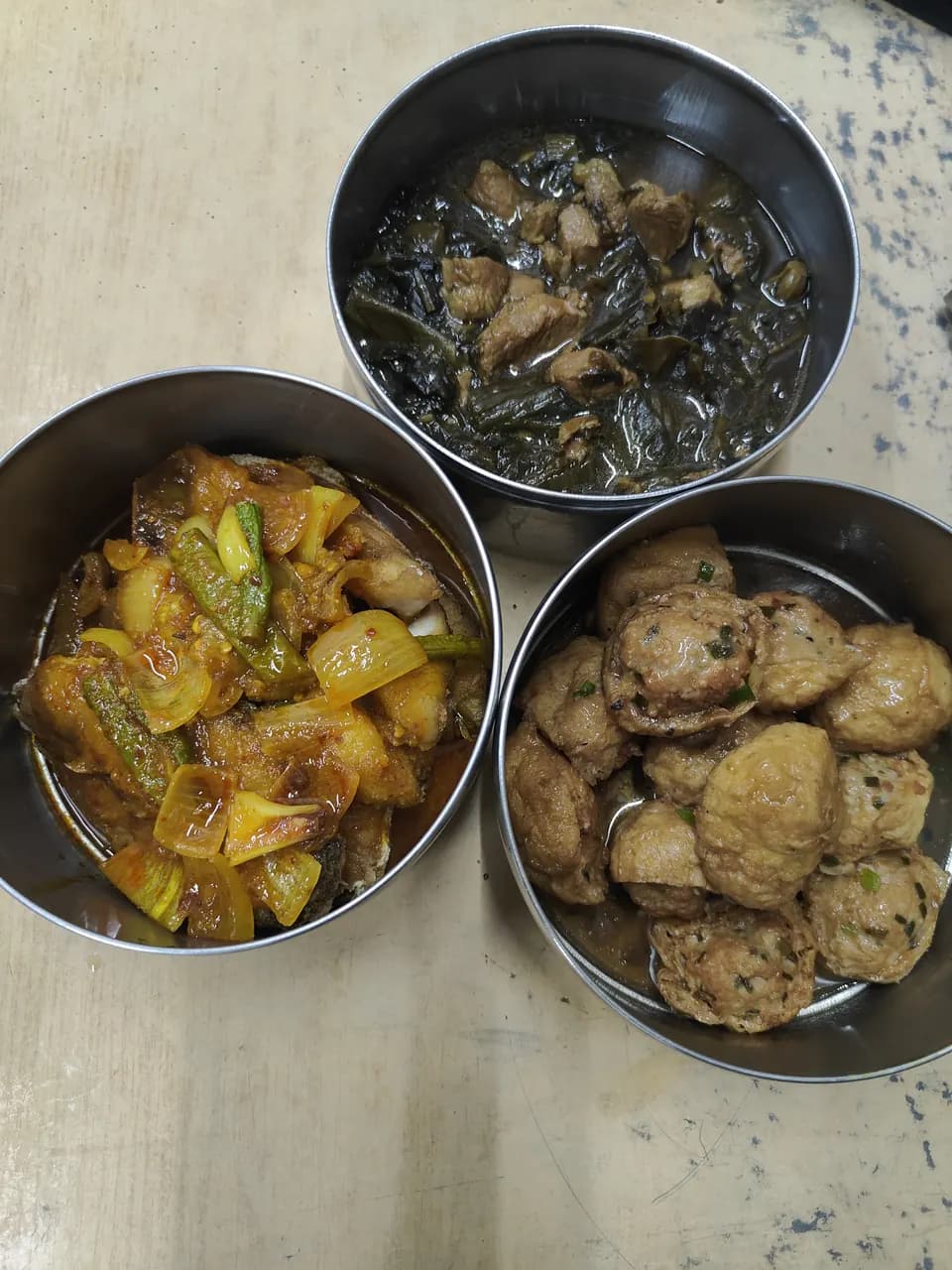
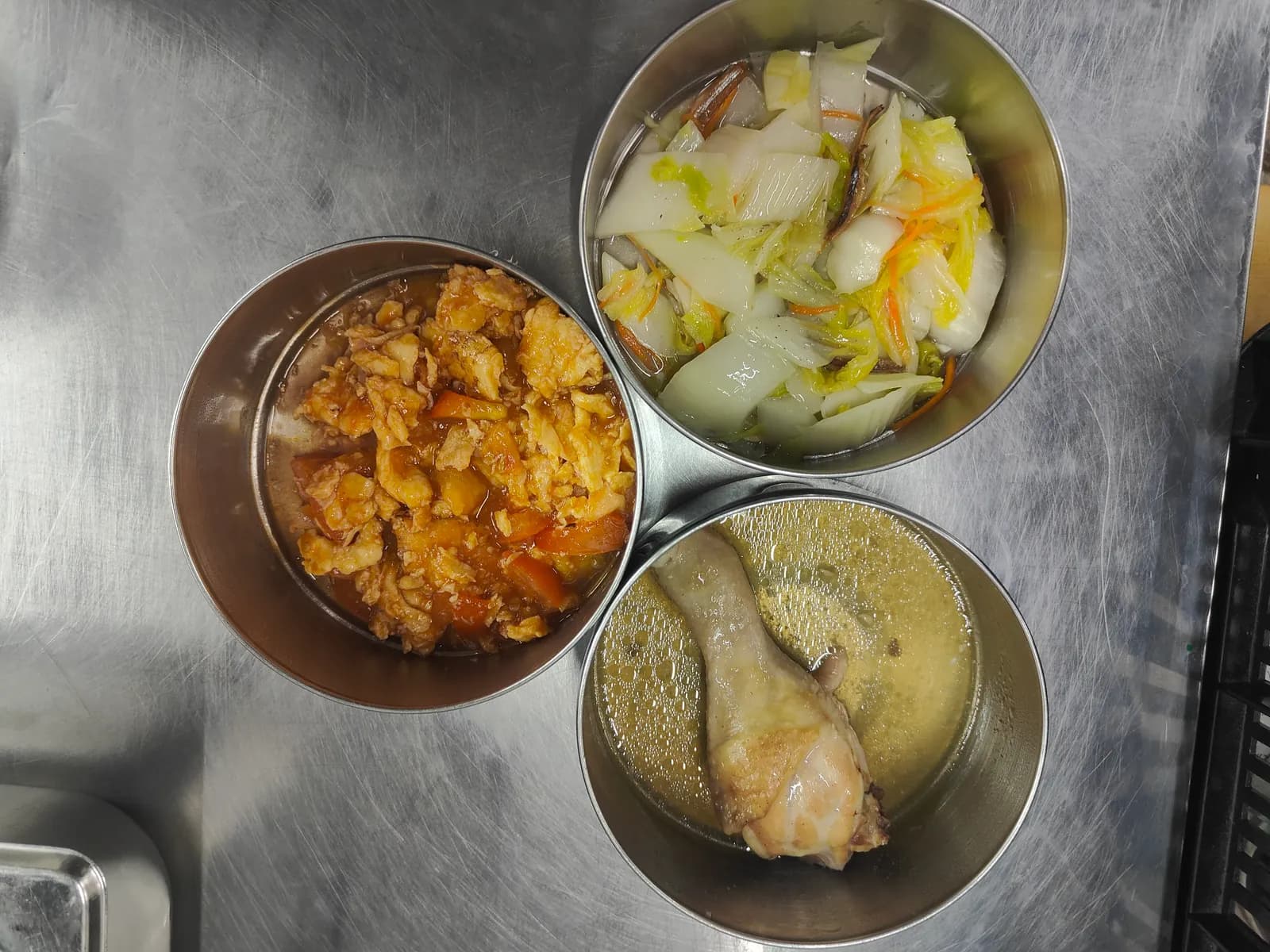
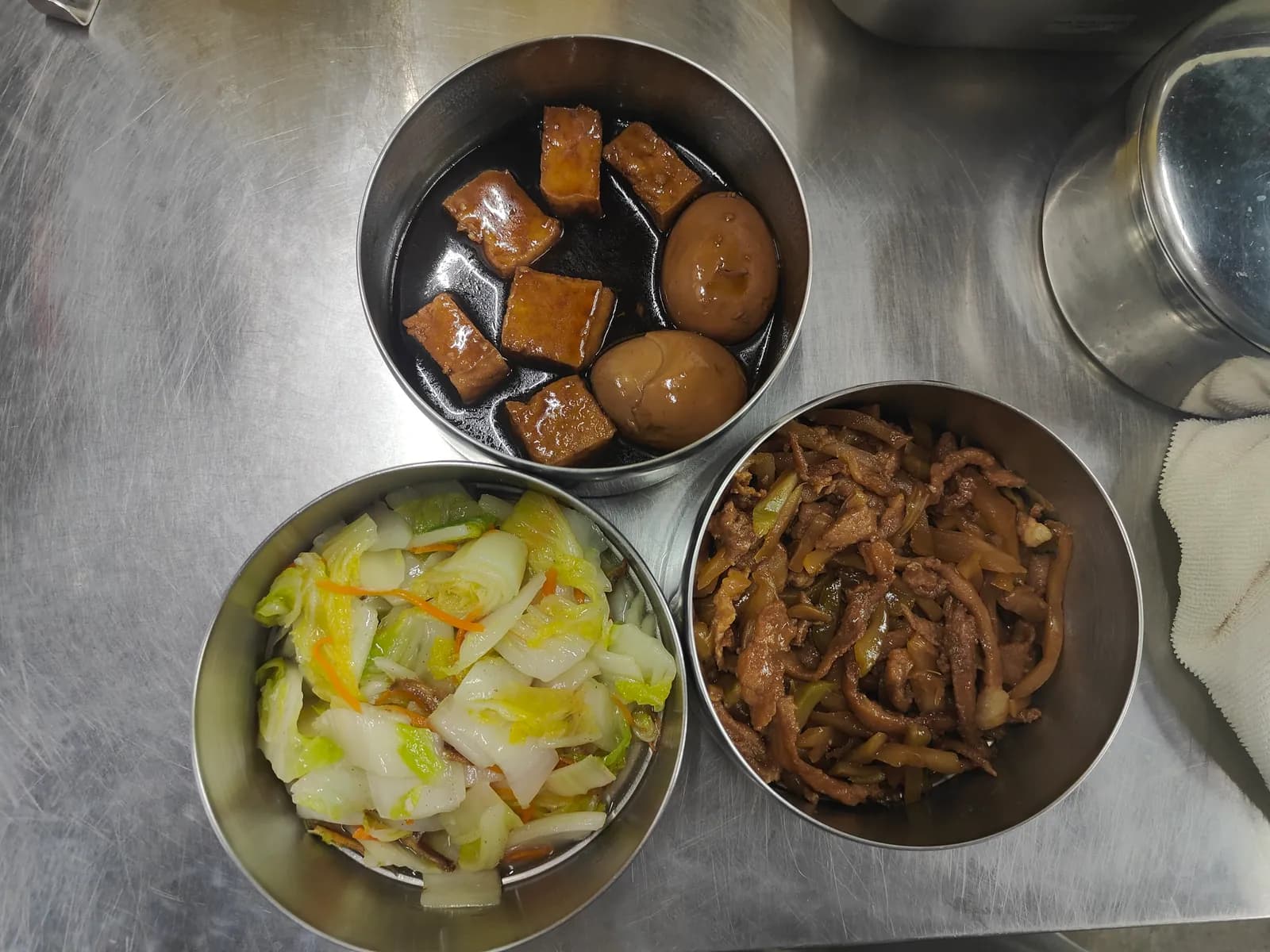
Our photos show real past food, but they cannot tell you whether a particular customer had a paid day left. The three containers in the example below show a cooked meal that could be delivered on an ordinary weekday. They say nothing about a customer's calendar, payment or pause history. Keep those details in your written order record, not in assumptions based on images or menu examples.
The three-dish arrangement matters because a pause changes a whole meal session, not one dish. If you are away for dinner, write “skip dinner” rather than asking to “hold the chicken” or “save the vegetables”. The dishes change with market shopping, so a moved paid day is a later meal under the kitchen's normal daily rotation. It is not a promise that the exact dishes pictured, or those originally expected on the skipped date, will be cooked again.
Photos also make it easier to explain the physical handover you are cancelling. Meals travel in separate containers; your own containers are normally exchanged when the new food arrives. If you will be away when the next meal is due, mention whether your empty containers are still available for pickup, and agree on a practical handover with the kitchen. For a condo, the Bandar Sunway delivery checklist covers lobby, guardhouse and door arrangements in more detail.
4. Write one message that can be acted on
An effective message has enough detail to change the schedule but is short enough to scan. Start with your name and delivery address if the kitchen handles more than one order from your household. Identify the current plan before proposing a new one. Then ask for confirmation of the specific dates and sessions. You do not need to explain why you are travelling or share private family details.
Here is a format you can adapt: “Hi, this is [name] at [address]. Please skip our [date] dinner for [number] people. Keep the [date] lunch as arranged. That dinner has already been paid for. Could we move the paid dinner to [proposed date]? Please confirm the updated dates and rice count.” This is an example of a message, not evidence of an actual customer or a guaranteed alternative date.
If you are pausing an entire week, list the dates rather than saying “next week”. That phrase can be misread near a weekend or public holiday. If you are stopping, state the last meal you want to receive. If you are changing only the number of people, say that separately; it is a headcount change, not necessarily a skipped day. The one, two and three-person meal guide explains how to count people per meal session.
After you send the request, check that the reply repeats the important parts. A useful confirmation says which lunches and dinners remain, which are removed, and when an already paid day will be supplied. If one item is missing, ask a follow-up. A polite second message is easier than finding out on delivery day that the two sides pictured different schedules.
5. Plan the return before the pause ends
When the pause has a known end date, decide whether your original pattern should resume unchanged. People may be away for only part of a day. You might return on Thursday evening but not need Thursday dinner, then restart Friday lunch. Write that exact sequence. If your household changed while you were away, give the new headcount and rice portions as well.
Before the resumed delivery, check three details:
- The first date and meal session you expect to receive.
- The number of people and rice portions for that session.
- Where the meal will be handed over, especially if a guardhouse or door-hook arrangement changed.
The kitchen's regular weekday service includes separate lunch and dinner deliveries. A restart after a pause follows the dates and sessions you agree, rather than automatically filling every weekday between your first and last order. For an ordinary household planning a full week, the weekday family meal planner gives a fuller way to map lunch and dinner separately. Here, the aim is narrower: make a pause and return unambiguous.
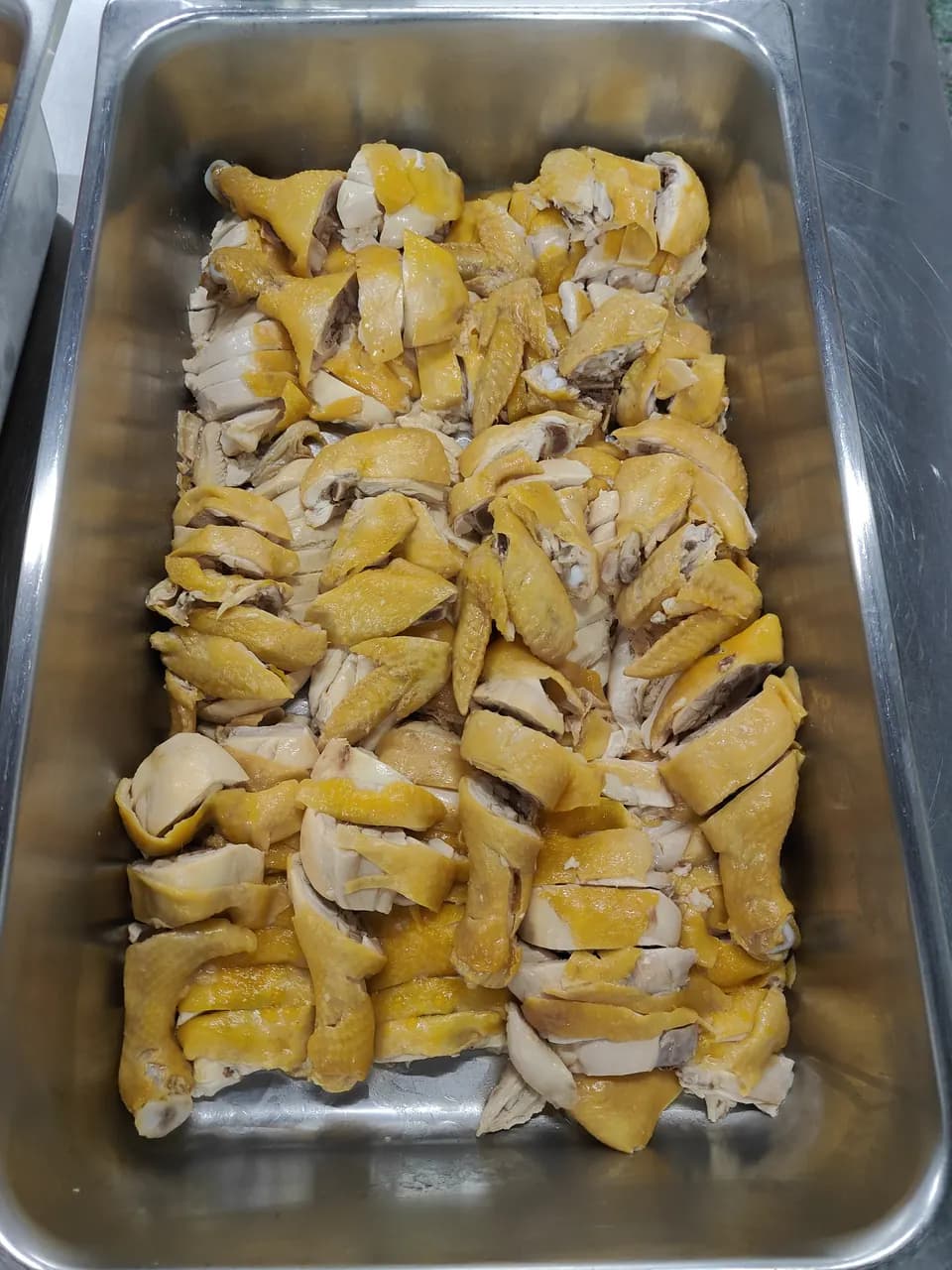
The photo below shows a cooked chicken tray from a past order. It is useful evidence of the kitchen's style of food, but not a record of a particular skipped day. If you move a paid session, expect the dishes available on the agreed new date. The regular dish menu shows the range of home-style cooking without promising a fixed dish on your restart day.
6. Common mix-ups worth avoiding
Most schedule problems are wording problems. “Cancel my plan” might mean stop every future meal, or only miss tomorrow's lunch. “Use my credit later” does not identify which paid session you mean. “We are back Monday” leaves open whether lunch or dinner is the first meal. These phrases are easy to clarify in advance.
Another mix-up is treating lunch and dinner as identical units. They are separate deliveries with different dishes. If you have paid for both and skip only one, confirm that only that one session moves. If the household needs a different number of portions when it restarts, do not assume the old price covers the new quantity. Ask the kitchen to confirm any revised amount before paying again.
Finally, check whether your message arrived with enough notice. The public rule is at least one day before. A late-night message on the date of delivery may not meet it. The business does not publish a clock-time cutoff here, so avoid inventing one. Send the change early, use an exact date and wait for a reply. The kitchen can then tell you what it can actually arrange.
Need to change your Puchong or Bandar Sunway meal dates?
WhatsApp the kitchen with your name, original dates, affected lunch or dinner sessions, and proposed new dates. Ask for written confirmation of any paid day moved forward. If you are ordering for the first time, the Puchong delivery area page and the frequently asked questions explain the service before you set a schedule.
FAQ
WhatsApp at least one day before the affected meal. Name the exact date and whether you mean lunch, dinner or both. Wait for the kitchen to confirm the change.
With the required notice, a paid skipped day moves to a later date agreed with the kitchen. Confirm the replacement date in the same WhatsApp thread.
Yes, tell the kitchen the first and last affected dates and the session you want on your return. If you do not yet know the restart date, ask to agree it later.
No contract is required for home meals. Tell the kitchen at least one day before the last delivery you want, and confirm whether any paid day remains to be moved.
Yes, identify both sessions in your message so the kitchen knows which one stays and which one changes. Lunch and dinner are delivered separately.
The pause rule applies to Aunty Home Cooking's home meal orders. Delivery is free within Puchong and Bandar Sunway; send your full address and the affected dates to confirm your arrangement.
Share this article
Related Articles
Home-Cooked Food Delivery in Puchong: What to Confirm Before You Order
Home-cooked food delivery in Puchong: what a real order looks like, published prices from RM15, rice, skip rules, containers and payment.
 Edwin4 Sept 202610 min read
Family Meal Delivery in Puchong: Planning Your Weekday Lunches and Dinners
Family meal delivery in Puchong, planned week by week: a headcount for each lunch and dinner, two deliveries a day, rice, and real family orders.
Edwin11 Sept 202612 min read
About the author
Edwin
Edwin writes practical guides about Aunty Home Cooking's meals, ordering and delivery.
This guide uses the kitchen's published service details and owner-supplied photographs of past meals. Confirm current order details with the kitchen before paying.